One refund goes out. Then the same incident triggers again after a service restart, or arrives four times simultaneously, and your remediation logic turns out to be not idempotent. The customer gets a second refund. Accounting gets a reconciliation problem.
This article walks through a duplicate-charge remediation workflow that routes large refunds through a manager approval step and prevents the same incident from issuing a second refund. All results come from a historical isolated twin run measured on 2026-10-19 using declared app version acme-ops-duplicate-charge-remediation-1.0.0-639dac1. No new execution has been run as of 2026-11-05. The pinned reproduction SHA is 48d4ded. The historical declared app version identifies what the runtime declared at run time; it is not an attestation that this SHA was the exact code executed in that session.
Can I run this myself?
Yes. You need a FetchSandbox account with managed-relay access, Node 22, and the acme-ops repo checked out at the pinned SHA. The runner injects temporary twin credentials privately per session. No live Stripe, Gmail, or HubSpot keys are needed for the isolated rehearsal.
What the workflow treats as a duplicate
A confirmed duplicate is two charges with the same amount, currency, and purchase reference arriving within a 15-minute window. Charges with distinct purchase references, or payments outside the match window, are not classified as duplicates by this workflow. Charges with a linked dispute are excluded entirely and no refund notice is drafted. These thresholds are defined in the workflow source and are specific to this acme-ops example, not universal FetchSandbox policy.
Three things the historical run checked
A refund above the approval threshold waited for an approver.
The large_refund_parked check confirmed that a confirmed duplicate above 50,000 minor currency units triggered a Slack digest to the finance channel and paused. No refund issued until an authorized approver responded. Two upper bounds also passed: the ceiling_halts check confirmed that above 100 refunds or 2,500,000 minor units total, the workflow halts the incident entirely. The cumulative auto-approval threshold is 200,000 minor units.
Rerunning the same incident after a refund had already gone out issued nothing.
The rerun_refunds_nothing check confirmed that a subsequent trigger for an already-refunded incident ID produced no additional refund. The idempotency check reads current refund state before acting.
Four simultaneous triggers for the same incident still resulted in one refund.
The concurrent_start check confirmed the workflow handles concurrent delivery without multiplying the refund. Two related cases also passed: approve_by_stranger_refused confirmed that an unauthorized user cannot approve a pending refund, and an independent full refund issued during the approval window prevents a second refund from going out.
The run also replayed an application restart mid-approval: the application restarted while a large refund was waiting for a decision, and the refund issued exactly once when approval arrived. This is a check on application state recovery behavior. The verifier session is not durable across verifier restarts; that is a separate limitation of the test infrastructure and is distinct from this application behavior check.
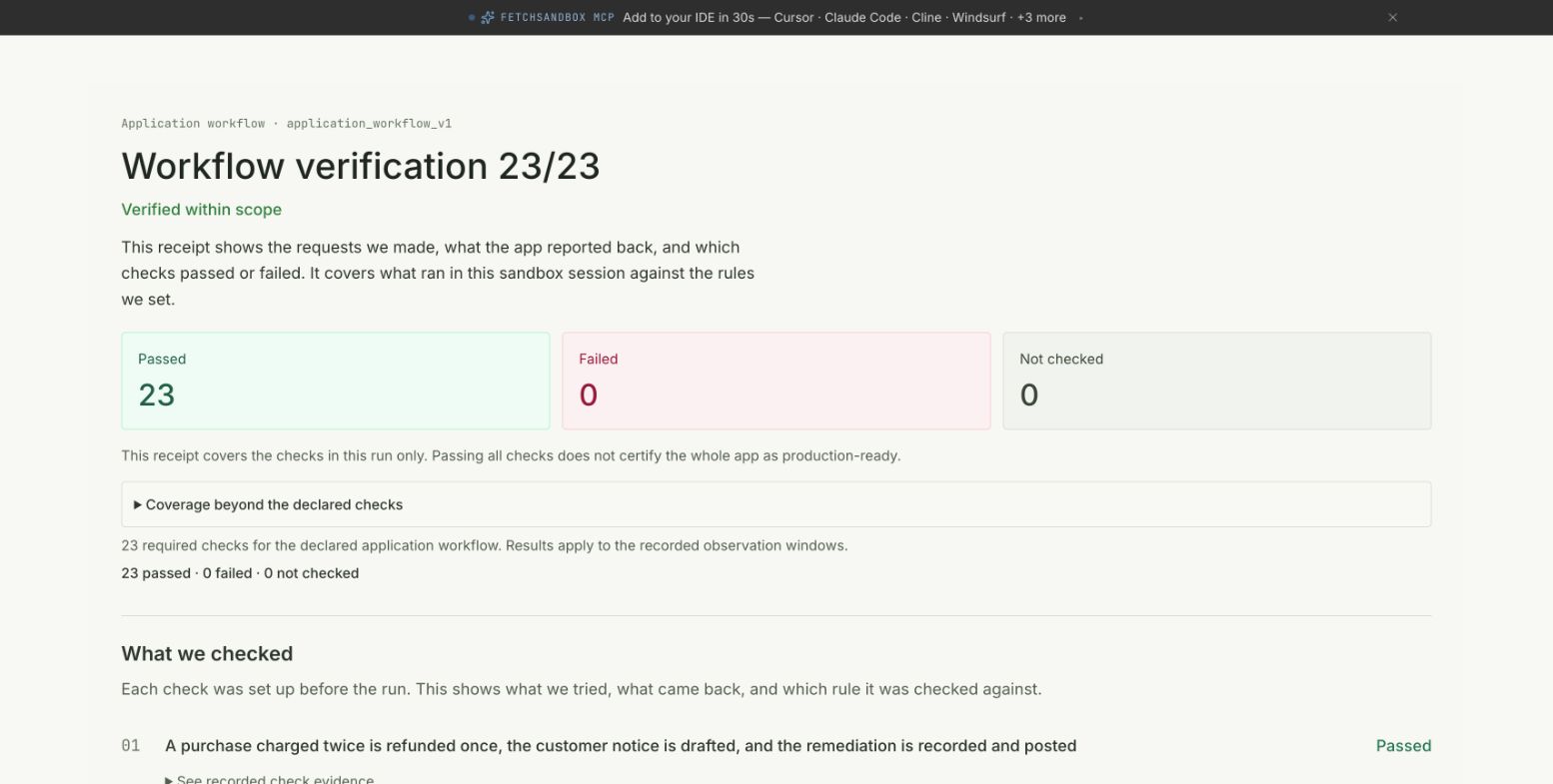
Public run summary for the duplicate-charge-remediation workflow, observed 2026-10-19 and reviewed from the live historical receipt 2026-11-05. The page shows all 23 checks passed and includes a scope warning. The full check list rows and declared version string are not visible in this screenshot.
HTTP 200 is not refund completion
Here is the recorded request and response excerpt from the twin session for the large-refund approval case. These are synthetic fixture IDs seeded by the runner. Do not send them to a production endpoint.
Request (recorded 2026-10-19T14:52:31 UTC):
{
  "action": "start",
  "runId": "large-refund-parked-vr_32045f5c19c54d8fa57cc7504523a437",
  "input": {
    "incidentId": "INC-large-refund-parked",
    "description": "Payment retry job ran twice and charged customers a second time.",
    "customers": [
      "[email protected]"
    ],
    "financeChannel": "C0BILLING01",
    "approvers": [
      "U_CONTROLLER"
    ]
  },
  "requestedBy": {
    "userId": "U_FETCHSANDBOX"
  },
  "labels": {
    "fs_run": "vr_32045f5c19c54d8fa57cc7504523a437",
    "fs_case": "large_refund_parked"
  }
}
Response excerpt:
{
  "runId": "large-refund-parked-vr_32045f5c19c54d8fa57cc7504523a437",
  "workflow": "duplicate-charge-remediation",
  "phase": "AWAITING_APPROVAL",
  "closed": false,
  "outcome": "ok"
}
The HTTP 200 on the start action means the workflow accepted the request and started. phase: AWAITING_APPROVAL with closed: false means the workflow is waiting for an authorized approver. For this specific sample, one refund is pending approval with zero refund attempts issued so far. AWAITING_APPROVAL by itself does not establish that zero side effects have occurred across all channels: in this run, Asana and Slack actions had already applied before this response, while the Gmail refund notice remained pending the approval decision. If you instrument a workflow like this, a 200 at step one is not a signal the refund is done.
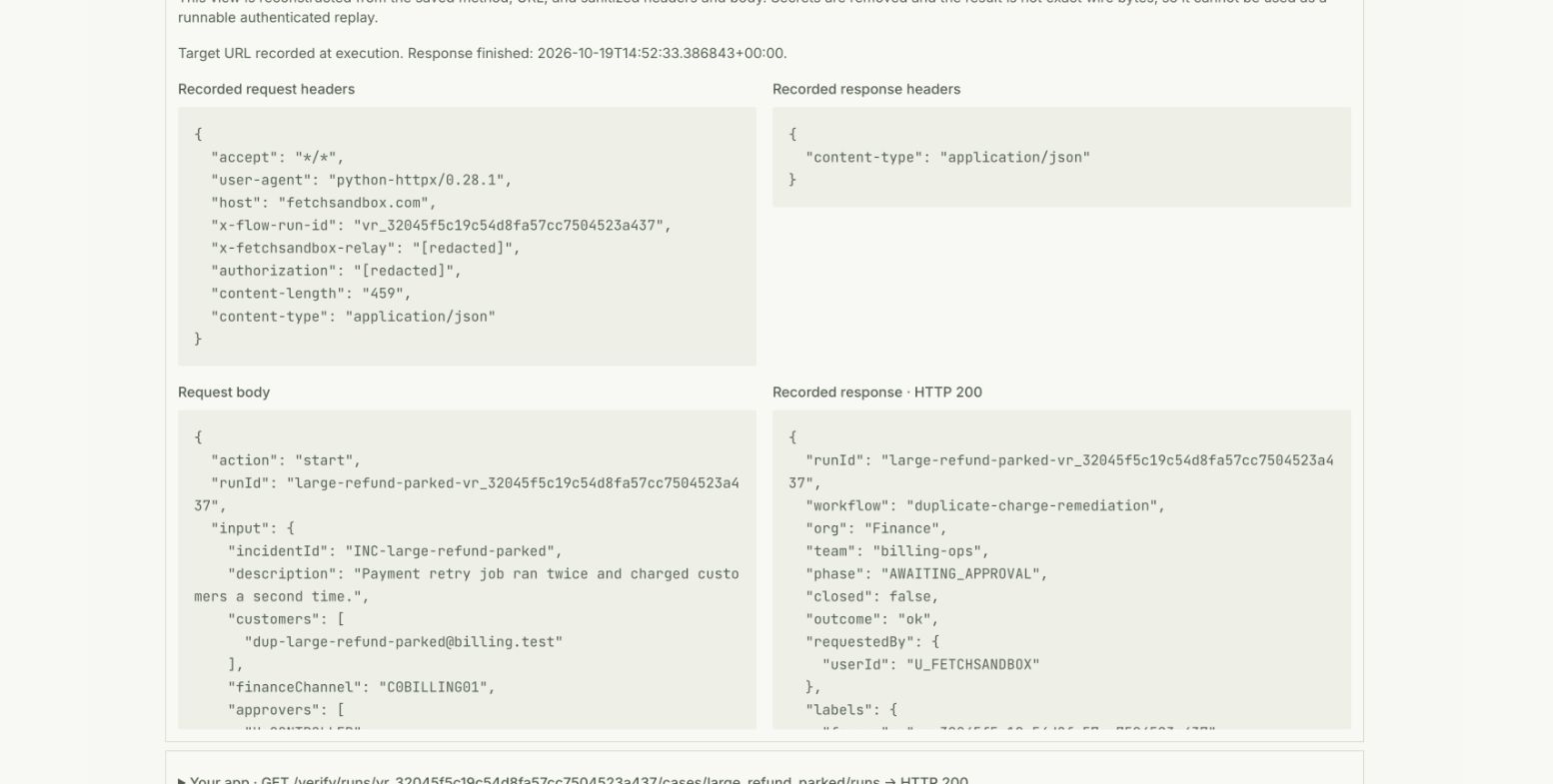
Approval gate detail captured 2026-11-05 from the public historical run summary. The request and response show AWAITING_APPROVAL phase with closed: false. The pending refund action detail appears below the fold and is not visible in this screenshot.
Running this yourself
git clone https://github.com/fetchsandbox/playground.git
cd playground
git checkout 48d4ded9832981e441fad4e83ed3daf838086ba4
cd acme-ops
npm ci
npm run bundle
node verify/relay-proof.mjs duplicate-charge-remediation
A FetchSandbox account with managed-relay access is required before running. The managed relay forwards verifier traffic through a cloud relay into your locally running application; FetchSandbox provides the relay, not application hosting. The runner injects temporary twin URLs and credentials privately per session. See the workflow guide for authentication prerequisites.
No live Stripe, Gmail, HubSpot, Asana, or Slack keys are needed for this isolated rehearsal. It is not anonymous; FetchSandbox authentication is required. Real calls against live providers require your own vendor credentials and separate qualification. These setup commands reference the pinned SHA and have not been rerun as of this article date.
Provider behavior in the twin run
Stripe charges and refunds go to an isolated twin. Gmail actions produce drafts only; no email is delivered to any inbox. Slack messages post to a twin digest channel. Asana records the incident. HubSpot provides customer context. Approval in the twin run uses controlled runtime identities, not live Slack user authentication. Workflow state is app-reported; storage is not independently attested beyond what the runtime declares.
What this run does not establish
The historical run measured 23 checks against the declared HTTP contract under isolated twin conditions. It does not establish production readiness, native provider parity, inbox delivery, behavior under live Stripe rate limits or dispute states, or compatibility with applications other than acme-ops. The public run summary includes recorded redacted request and response traces. Full proof access is owner-only.
To inspect the pinned workflow and rehearse its approval and retry checks using the authenticated runner, connect FetchSandbox MCP and ask the agent to walk through the duplicate-charge-remediation scenario.