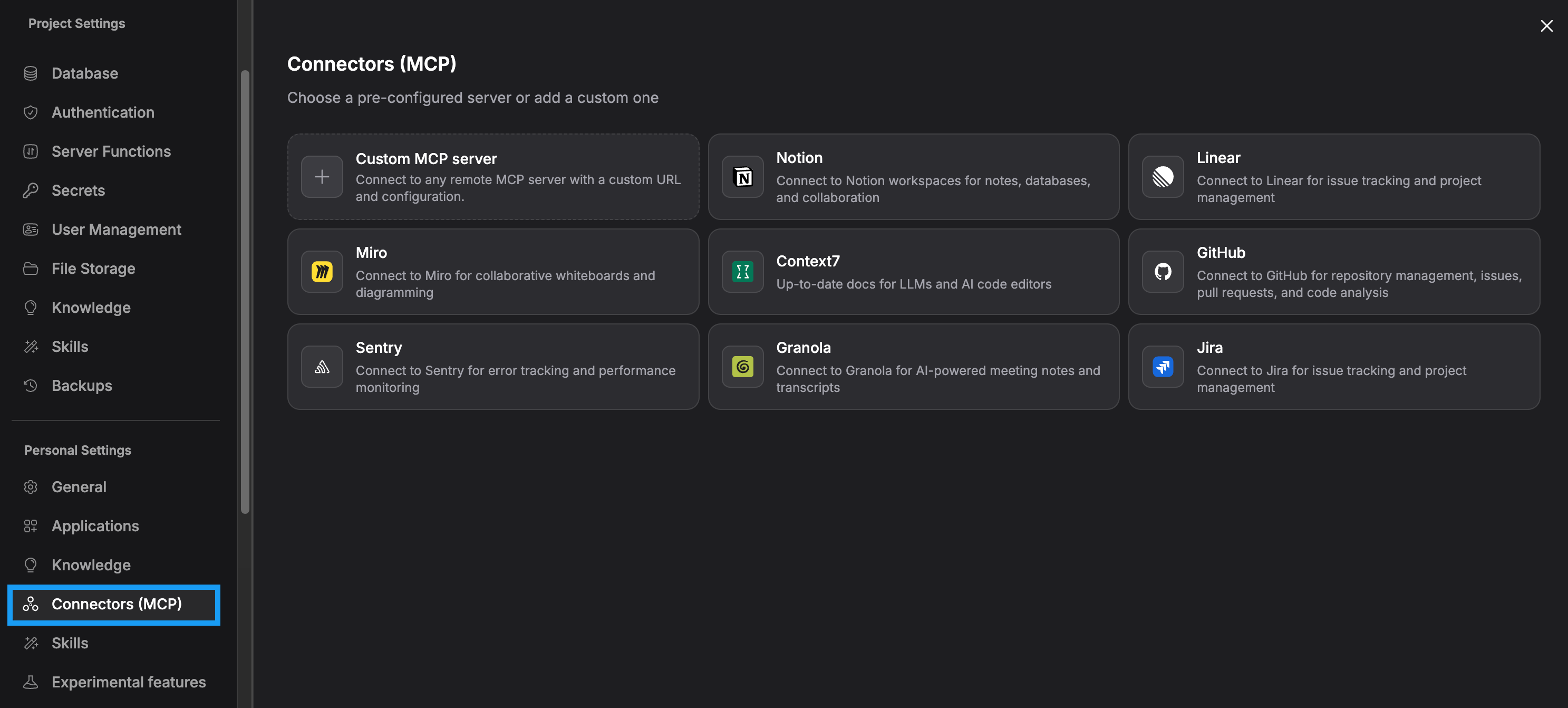
Add FetchSandbox as a custom MCP server in Bolt, confirm a real tool call, then verify your running app against isolated provider twins. You don't need live vendor keys.
In chat, open plus > Connectors > Manage connectors > Custom MCP server. Name it FetchSandbox, use https://fetchsandbox.com/mcp/v1 with HTTP transport and API key authentication. Connect, then enable it in your project through plus > Connectors. Check the API-key header convention in Bolt itself. Reference: https://support.bolt.new/integrations/mcp.
Remote MCP configuration
Name: FetchSandbox
URL: https://fetchsandbox.com/mcp/v1
Transport type: HTTP
Authentication: API key
Key: your FetchSandbox account key
Bolt documentation screenshot · reviewed 12 Nov 2026. Setup reference. This shows the platform setup, not an execution.
03
Confirm an actual tool call
Review the available tools, then ask Bolt to run list_workflows with spec_slug=stripe. This is a read-only connection test. Seeing the tools listed doesn't prove a workflow runs. If discovery loads with None, that doesn't prove account-scoped calls are authenticated.
Confirm an actual tool call
Call FetchSandbox list_workflows with spec_slug stripe and tell me the actual result.
04
Verify your running app and inspect a receipt
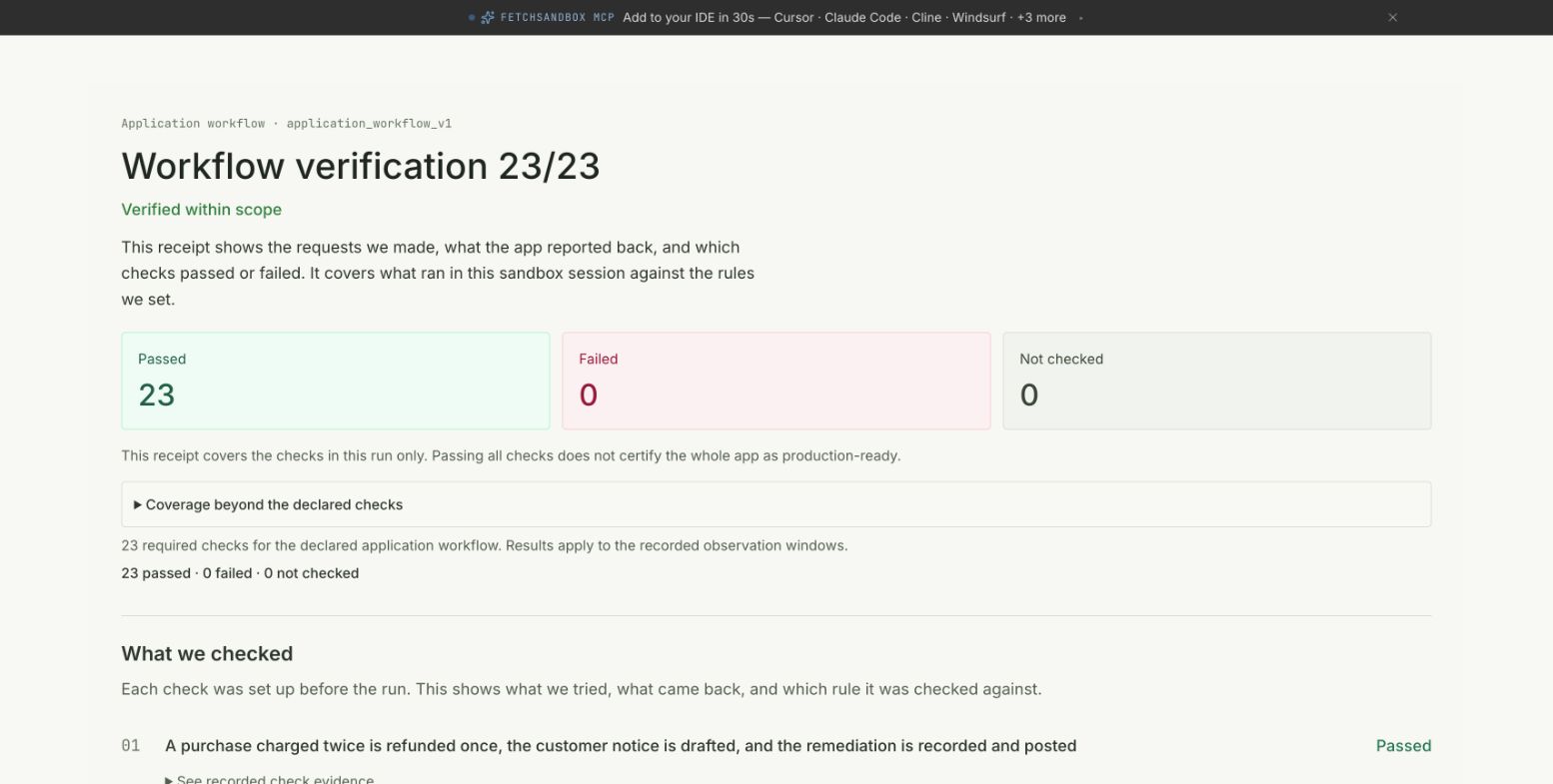
Run validate_integration. Agree on the observable behavior, point your app's calls at the supplied twins, invoke the app and inspect the receipt. Local apps use managed tunnel transport. Hosted apps need a reachable protected URL.
Verify your running app and inspect a receipt
Use FetchSandbox validate_integration for this running app. Agree the observable expected behavior with me, configure the isolated twins, invoke the actual app and report the receipt, including anything failed or unmeasured. Keep polling the same get_job until it reaches a terminal state.
Signs your setup works
An actual tool call returns a result in Bolt, and your running app produces a receipt against the twins.
Scope of this evidence
The receipt records expected versus actual for the agreed scenarios against your configured twins. Local apps run through the managed tunnel, and hosted apps need a reachable protected URL. Other scenarios are unmeasured. Discovery loading with None doesn't prove account-scoped calls are authenticated. A reference quickrun doesn't test your code. Public receipts illustrate workflows, are separate from verifying your app through Bolt, and aren't native Bolt acceptance.
Historical runs recorded against isolated twins. You can inspect each receipt and its evidence. Not a new execution or production certification.
Duplicate charge remediation
Passed
Finance needs to refund customers who were charged twice by a billing incident, quickly and at scale, without refunding a disputed or ambiguous payment and with human approval above set limits.
Each receipt is one individual dated run against isolated provider twins, not live vendors. The caller declared the app revision, and it is not attested. Workflow docs are pinned to the commit shown here. A status appears only when the original verdict, counts, completeness and app_verified all support it, and counts are never merged. Some source exports, including the n8n lead flow, are not public. These public examples are separate from proving your own app through your builder, and they don't show that each native client was tested.
Sales needs to grant product access the moment an order is paid, and never for an order that was not paid in full, was refunded or disputed, or whose payment event was forged, replayed, delayed or lost.
Each receipt is one individual dated run against isolated provider twins, not live vendors. The caller declared the app revision, and it is not attested. Workflow docs are pinned to the commit shown here. A status appears only when the original verdict, counts, completeness and app_verified all support it, and counts are never merged. Some source exports, including the n8n lead flow, are not public. These public examples are separate from proving your own app through your builder, and they don't show that each native client was tested.